


Buy anything from 5,000+ international stores. One checkout price. No surprise fees. Join 2M+ shoppers on Desertcart.
Desertcart purchases this item on your behalf and handles shipping, customs, and support to Greece.
📸 Preserve your legacy in stunning detail—scan, restore, and share like a pro!
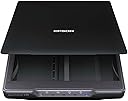
The Epson Perfection V39 is a sleek, USB-powered flatbed scanner delivering 4800 dpi optical resolution for high-quality photo and document digitization. Featuring easy-to-use buttons, built-in vertical kickstand, and software for cloud scanning, photo restoration, dust removal, and OCR, it’s designed to simplify preserving and sharing your most treasured memories with professional precision.


| ASIN | B00SSXQ7Q2 |
| Best Sellers Rank | #6,773 in Office Products ( See Top 100 in Office Products ) #3 in Flatbed Scanners |
| Brand | Epson |
| Color Depth | 16 bits per pixel (internal), 8 bits per pixel (external) bpp |
| Connection Type | USB |
| Connectivity Technology | USB |
| Customer Reviews | 4.2 out of 5 stars 4,436 Reviews |
| Global Trade Identification Number | 00010343916906 |
| Greyscale Depth | 16 bits per pixel (internal), 8 bits per pixel (external) |
| Item Dimensions D x W x H | 17.25"D x 12"W x 3.4"H |
| Item Weight | 3.4 Pounds |
| Light Source Type | LED |
| Manufacturer | Epson |
| Media Type | Photo |
| Minimum System Requirements | Windows 7 |
| Model Name | Perfection V39 |
| Optical Sensor Technology | CIS |
| Paper Size | 8.5 x 11 |
| Product Dimensions | 17.25"D x 12"W x 3.4"H |
| Resolution | 4800 |
| Scanner Type | Photo |
| Standard Sheet Capacity | 1 |
| UPC | 010343916906 001034391690 |
| Unit Count | 1.0 Count |
| Warranty Description | Limited warranty |
| Wattage | 2.5 watts |
B**.
Reasonable priced, nice quality scanner that GREATLY simplifies the job of digitizing those family photos
I got the job of scanning four big family photo albums into digital form, maybe a bit over a thousand photos. Almost all of them were 3x5 or 4x6, but when I used my multifunction printer as a scanner, it required two separate scans, with an intermediate dragging of a border to define the final scan. It was multiple minutes (or so it seemed) for each photo, and I knew that I'd never finish without a high degree of annoyance, something not really appropriate to a family memory preservation duty. I shopped around for a photo-specific scanner, hopefully one with an auto-feeder, looking to automate as much as I could, but basically struck out. A bit of reading and a few reviews suggested that though it was minus the auto-feed, this printer could be what I was looking for. It was reasonably priced and I took a chance and ordered it. I've now got several hours of use scanning pictures of my kids and family, and am pretty happy with the unit. The big surprise was that the quality of the scan, even at the same DPI was noticeably better than the multifunction printer. Truth is, the majority of the work in this task is removing the photos from the waxy album sheets and their clear plastic covers. The scanner just keeps on cranking, and it takes about 1 minute for me to load a picture, scan it, put it on the 'done' pile, and then begin the next. Would it be faster overall with an autofeeder? Maybe a bit, but most of the time in the sequence above is for the scanner to determine the size of each photo placed on the glass, and then doing whatever it must to scan only the image. It takes two passes, just like the multifunction unit, but the the passes are automated and require no intervention beyond removing the photo when the process is complete. Photos are saved in JPG format, and the filename with its 3 digit number is auto-incremented with each new scan. I use Windows 7, and the included Epson software puts the completed scans in the 'Pictures' section of the Library. I'm almost done with the first album, so it seems likely that I'll finish in an acceptable amount of time.
L**E
Just wonderful!
I'm so happy with this! After researching for way too many hours, I decided to try this and am glad I did. I needed this to scan scrapbook pages I made of family pictures. That is why I chose a flatbed scanner. I've scanned over 1300 pages so far and it is so wonderful and easy to use. My husband had to set it up for me, but he's computer savvy. If I had to do it myself, it would have been a huge problem. I appreciate the price compared to other scanners that were $300 and up. I hope it works for a long time. And it is pretty fast; less than 20 seconds per page. I'm thrilled with it. The image quality is incredible. The pictures look better scanned than they do on the actual page I scrapbooked.
J**.
Updated Review: USB-C MacBook Pros
EDIT: Leaving the original review down below for reference, but I'm bumping my star rating from 2 to 4. Just as I was about to give the scanner to Goodwill as it had done nothing but collect dust for the last year, I gave downloading new drivers one more time, since the Epson rep was insistent it would work with modern USB-C MacBook Pros. Epson must have finally gotten around to updating their drivers to make it work better with modern MacBooks (perhaps after seeing reviews similar to mine) because it is working just fine now with my USB-C dongle. Too bad it took them a long time to fix the issue with the drivers, but at least I have a good functioning scanner now. And it has been a terrific scanner now that it's reliable! ORIGINAL: This is not a recommended scanner if you own a USB-C MacBook and perhaps any other USB-C only computer. One thing I didn't realize until trying to set it up is that the instructions say it doesn't work well with USB routers. Well when you're using a computer with USB-C ports, you don't have any choice but to plug it into a dongle. Getting it to power up when plugged into a USB-C dongle is very much a hit or miss proposition, and I've often found myself uninstalling and reinstalling the drivers as a "trick" to get it to power up. Once it is fired up and working, it does a good job of scanning. I'm going to keep it since I don't need to regularly use it, but if you own a current generation MacBook and need it for heavy duty usage, you should look elsewhere.
J**S
Very pleased
I got this scanner for one purpose: scanning photos. It does a great job scanning photos in low as well as high resolutions. While I am pleased with the performance of this scanner, especially for the price, there is one issue I wasn't nuts about. When installing the software, you don't have a choice as to where to install it, so it was installed on my small SSD boot drive instead of my 2GB storage drive. I tried scanning photos at various settings and all worked great; good color and saturation. The auto settings scanned to JPG with I suspect medium to heavy compression settings, but if you scan as a BMP it's uncompressed and you can subsequently edit it as desired. In the advanced settings I was pleased to see that you can adjust the compression settings, as well as storage locations. One pleasant surprise is that if I put several photos on the glass, it scans them and separates them into separate JPG files unless told otherwise, which saves a lot of time. You can also have it auto-remove dust and scratches. It did a somewhat adequate job of that for a time saver, but I prefer to use Photoshop for that for more control. All photo scans did have dust marks on them; apparently you can't avoid it, and using Epson's software certainly helps. I was surprised to see that the unit is in a horizontal/landscape position when using the upright kickstand; the images online looked like it was vertical to me. No big deal though. Takes up relatively little space. I don't use the V39 for document scanning; for that I use an all-in-one, but my all-in-one unit doesn't do high resolution scans (600dpi or greater) like this unit does, which for me is critical for photos. Great unit, I'd recommend!
G**D
Software is terrible...So many issues...DO NOT buy this scanner.
I originally bought this scanner to create high-res digital images of my artwork. The instructions were a tad confusing at first, but I figured it out. I then installed the software needed to operate the scanner, onto my computer. I went through all of the proper steps, following the installation instructions to the letter. Then, I tried to use the scanner. And that is when the first issue occurred. I placed a piece of my artwork on the scanner bed and opened the proper program on my computer. I then tried activating the scanner. The software popped up a little window saying: "No Scanner Detected." Okay. So I tried plugging the USB cable into a different port and restarting the program. Same issue. I repeated this process multiple times, trying the cable at least three times in each of the four USB ports on my computer. I tried using the buttons on the scanner to scan the picture, to no avail. I tried restarting the computer and doing it all over again, but that didn't work. Finally, I figured I should try re-installing the scanner software. I uninstalled the software, restarted my computer, then re-installed the software. Then, I tried scanning again. And that is when issue number two manifested. After I re-installed the software the scanner was finally able to connect. So I tried scanning the picture again. I would like to mention that every time I opened the program it took about one minute to finally open, and took about ten to twenty seconds to register any clicking I did within the program. As well, it crashed just about every time I opened it. Back to the issue at hand: Both the product description, the operating manual, the box, and the scanner itself testified that it could scan at 4800dpi. So, I trusted the description and all that and attempted to scan at 4800dpi. The software then popped up a window saying that I couldn't scan at that resolution. It did not give a reason as to why. I tried again and achieved the same results. I tried 1200dpi. Same. Thing. Happened. I tried 600dpi, it wouldn't let me do that either. Finally, it said the scanner was ready to scan. But...it could only scan at 300dpi. I did the scan at 300dpi, and that is when issue number three happened. The image was scanned successfully at 300dpi. Then, I tried to save it. The software itself is not very user-friendly, and I had to look at the manual several times, and online, before I finally figured out how to save the scanned image. I followed the instructions...but, you guessed it, the program gave me an error saying the image could not be saved -- again giving no reason as to why that was. The program then crashed. I tried again...eight times, the program crashing every time until the ninth time worked. It told me the image had been saved. I went to the destination folder to find that the image had, in fact, not been saved at all. I did a search of the entire hard-drive for the image, but it did not exist. So I tried saving it again. The program crashed. I did this about three times, everything following the same pattern. I troubleshot the program, I looked online for tech support, but none of the 'solutions' worked in the slightest. So, I re-installed the software. The same thing happened, every issue the same. I re-installed the software, restarted my computer, checked my computer for updates, multiple times, and in multiple orders. But, every single time, the program had the exact same issues. And, for the record, I checked the system requirements for the operation of the scanner, and my system exceeded every single one by a mile. After about ten more attempts, something finally seemed to work. Seemed being the operative word here. I opened the program, the scanner connected, the program didn't crash, and it let me select the option of scanning at 4800dpi. I would like to emphasize again how completely user-UNfriendly the software is. Despite spending an hour and a half reading the manual and doing research online, the program was still hard to figure out. And that's coming from a guy who is not generally stupid when it comes to this sort of thing. Anyway, I clicked "scan". But, lo and behold, again an error window appeared, telling me I couldn't scan at 4800dpi. This time it gave a reason: I did not have enough room on my hard drive for the image. I had over 1 Terabyte of empty space on my hard drive! That's far more than enough for the estimated size of the file! I tried scanning again, with the same result. I tried 3600dpi. I tried 1200dpi. I tried 600dpi. Every, Single. Time. I got the same error message. Then, like before it let me scan at 300dpi. I did that but ran into the same saving problem as earlier. Being the extremely stubborn person I am, I repeated the process of uninstalling the software, restarting my computer, reinstalling the software, troubleshooting, scanning the software for problems, trying the buttons on the scanner itself, trying to scan at different dpi's, trying to save the 300dpi image. I counted: I repeated this process, occasionally changing up the order of steps sixteen different times! But, every single time I ran into all of the same issues that I had been constantly having! Finally, I said enough is enough, packed up the scanner, and returned it. I would absolutely recommend not getting this scanner. The software is terrible, and it's confusing to figure out. Do not get this scanner.
G**E
Everything that I ever wanted out of a very low cost flatbed
I needed to replace my 10+ year old Epson flatbed, which after many years of faithful service finally gave up the ghost in a cacophony of grinding plastic gears. I was very attracted to this unit because of its low price, its very thin conformation, and its promise of taking up so little room through the use of their clever ‘kickstand’. However, I was very concerned that considering that it was powered exclusively by the standard USB 5v DC provided power feed, that it would either under-perform or refuse to work at all (I had been previously burned by an experience with an allegedly USB powered Blu-Ray drive). But the prospect of getting the advantages mentioned above held sway in my decision; nowadays a seventy five dollar (tax included) roll of the dice is not what once it may have been. As it turns out, I'm now two weeks into my use I am thrilled to death. I have actually gained in both scan quality and resolution over my old dinosaur, which I guess should come as little surprise considering the speed of technological innovation in both the computer and the imaging sectors. On top of that, I was very pleased to find that the unit has not shown the first sign of being under-powered. In some of the Amazon customer reviews, I had read some comments about the machine being rather loud. I suppose that such things are relative, my new unit is neither louder nor quieter than my old dinosaur, so personally I don’t much mark any difference. However, there’s just enough operating noise in both that I’m sure that younger folks who are used to better might understandably feel just a little more sensitive to the effects than I. I guess that I might be as much a dinosaur as my old unit. For that matter the scan speed from both units pretty much matched (the newer one might win by a nose), so I guess that with me the same logic applies for that. I did experience a minor hiccough when installing the driver; that was apparently caused by my ignorance and my resultant failure to first uninstall the previous incarnation of Epson driver, a simple uninstall and reinstall solved the problem in quick order. Just for fun, I tried out the bundled OCR software; I say just for fun because I have little real cause to use such a program. I found it to be just a tad too inconsistent in its performance for my tastes, so again just for fun I got onto the internet seeking a better path. I finally found a highly rated commercial software called TopOCR, which sells for a whopping $4.99 U.S.D. (apparently not a sale price, and a free limited trail is offered). If you noted my previous comment about seventy five dollar rolls of the dice, you will not be surprised that a paid copy wound up on my HD. This decision was reinforced when I tried the aforementioned limited free trial, it proved to be quite noticeably superior in its fidelity to original content. So based on that, I have decided to give the unit a full five stars. That said, however, there are some things that perhaps I should make clear to any potentially incautious people; to me they are all things that should be immediately obvious from the unit’s very low price point. This unit is rather lightly built, speaking both with regards to both mass and to durability/rigidity. It is quite apparent that the design duty usage cycle level is not of the very highest order. That sort of stuff is clearly best found in a unit which is sold at a higher price point. But for my ‘retired old-guy on a pension’ purposes, it seems to show great promise. So if you have a house full of mechanically over-inquisitive kiddies or if you intend to digitize that 40 year old heritage family copy of Encyclopedia Britannica, you might want to try batting in a slightly higher league.
A**Y
V39 is Good Price - Quality Doc Scans - Subpar Photo Scans - Mac Software Problems - Slow Scans
This Epson Perfection V39 flatbed scanner is a good price for what you get when compared to the competition in Spring 2023, and it is useful for making quality document scans. It is also slim and lightweight, so it is easy to store and move around. It does have a fair number of issues, however. The associated Epson software is annoying but not completely impossible. I am using the Mac version of the recommended Epson drivers from the Epson website. My computer is a laptop: a 2020 M1 MacBook Pro running macOS Ventura version 13.2.1. I have to use a USB-C to USB adapter to connect the scanner to my laptop because I only have USB-C ports built in on my laptop. During install, I found that even though I checked for updates immediately, the Epson Software Updater showed that there were no additional updates to the drivers/etc. until after I had restarted my computer. This happened two or three times, so there were a few updates to the drivers, even though I had just downloaded them directly from the Epson site, and the Updater was glitchy in recognizing that updates were available. I have used this Epson Perfection V39 scanner for about a week now, and have completed approximately 100 total scans. Most have been 1200 dpi color document scans that I scanned to PDF, and a few have been 4x6 photos that I scanned to JPEG. I initially tried to select "Scan to Searchable PDF" for the documents, but the software could not successfully complete the process by Saving the image files to my laptop. I also found that I sometimes have to restart my computer to get the software to open up and allow me to start scanning. I will plug the cable into the scanner and my laptop, no light will turn on at scanner, and the Epson Scan 2 software will never open up after I click on it. I have to Force Quit the application to get it to stop trying, and then fully restart the computer before I can successfully open the scanner application and scan to my laptop. ALL of the preceding was/is annoying, but you can still get your scans in the end, and the document scans are decent quality. However, I am NOT impressed with the speed of the scans. It takes about 1.5 minutes per page of color document at 1200 dpi setting. That seems way too long since it’s not an improvement over what I was getting 10 or 15 years ago from my Canon All-In-One printer/scanner/copier/fax. My other true complaint about this flatbed scanner is that it did not impress me when I used it to scan 4x6 color photos. The images from the scanned photos looked worse than the originals in clarity and color, and each one took about as long to scan as the full-size color documents I had been scanning. Both of these last two issues, the speed of scanning and the quality of the photo scans, are genuine issues that may result in my returning the Epson Perfection V39 flatbed scanner. I still have a few more weeks to decide. At a minimum, I will have to purchase another device to make quality photo scans in the future because even with all the time in the world, this is just not good enough for high quality photo scans.
D**C
Working Great for Me
Despite all the bad reviews I took a chance.I wanted to scan mostly 4x6 photo prints to upload to an on-line site to make a photo book.Figured if it worked and lasted long enough to do 300 pictures, it would pay for itself compared to the cost of getting the scanning done outside.My level of computer savvy is I need a Dummies book to get anything done.So far I have done about 100 scans at 600-which is what the on-line site uses,on my windows 10 computer.Quick and easy to save and upload.I have experienced zero of any of the problems reported by others and am at a loss to understand some of the concerns. 1.Software.There was no disk included.Simple link to their web site.Download and install the software.Puts an icon on the desktop.Click on it and operate the unit.Works perfectly with my new windows 10 .Didn't try any of the, to me "fancy" alternate modes,like Professional or scan multiple pages to a single PDF or "stitching",so can't speak to any of that. I just set the resolution and get a nice JPEG digital image.Of course you can't do multiple scans at the highest resolution.Takes too much space on the hard drive.Seems to me some of the negative people may have unrealistically expected high end professional level performance,which you can only get from units at much higher price points. 2.Buttons.Don't get this concern.Didn't try them-why would you want to? Scan and save to my computer, so you have to turn it on.Also turns on the scanner.Easy to click on the icon.Used basic screen.Just click on "start scan". 3.Borders.The manual that downloads with the software tells you about the minimal edge reduction.Wasn't a problem for me.There are two marks on the lower right hand corner.I just put the photo down by the marks,less than 1/4 inch from the edges.Doesn't have to be exactly square or straight.Program scans it perfectly for me. 4.Smudges.People are amazing.Yes if you put your fingers on the glass that isn't good.Exactly like any other scanner.I just put the photo down and move it around by touching the photo. I use a soft plastic tooth pick to lift the photo up a bit off the glass, so I can remove it without touching the glass.Haven't had any problems, nor had to wipe the glass so far. 5.Noise.Another concern I don't get.Some people must have very tender ears.The first pass is about 5% louder than my Brother MFC-8660DW, 3 in 1 printer-copier-scanner.Then you get a thumbnail of the scan to decide if you like it.Then the second pass is the same sound as the Brother. All scanners make a noise,don't they? 6.Plug.I don't know the technical name but the mini USB end of the 4' cable that plugs into the unit is not exactly robust.The comments alerted me to a possible problem so I plugged it in and put a little duct tape around it and I leave it alone.Just use the other end which is a normal USB, to plug in and out of my desktop.Mostly I leave it plugged in all the time and it automatically turns on when I boot up my computer and off when I log out. 6.Time. It takes me 30 seconds to scan a 4x6 photo-from the time I click on start scan until the process is complete. 7.Saving.This is another concern I don't get.Probably because I am mostly clueless about computers.When a scan is complete a window pops up automatically, New Scanner under Pictures.The scan is placed there and saved by itself.I drag it to my desktop.The on-line site sees it there when I click on add photos.Drag and upload.Then I make a new folder in Pictures for that book, and drag it off the desktop into the folder.I am sure there are better ways but that works for me. 8.Lid. It was heavy enough for me to flatted slightly curled photos.The hinges are a light plastic so I try and be careful.It stands upright while I place another photo.The manual says it is removable to scan bigger items but I haven't tried anything except scanning photos as big as 8x11. Conclusion:I couldn't be happier so far.The unit does exactly what I hoped for at what I consider a bargain price.
Trustpilot
1 week ago
2 months ago